Open the Recorder
Use your source Chrome profile and navigate to the page where the workflow begins.
Local-first browser workflow
Record once. Replay with confidence.
Capture an ordered browser action history in one Chrome profile, then replay it later in another with field-by-field verification.
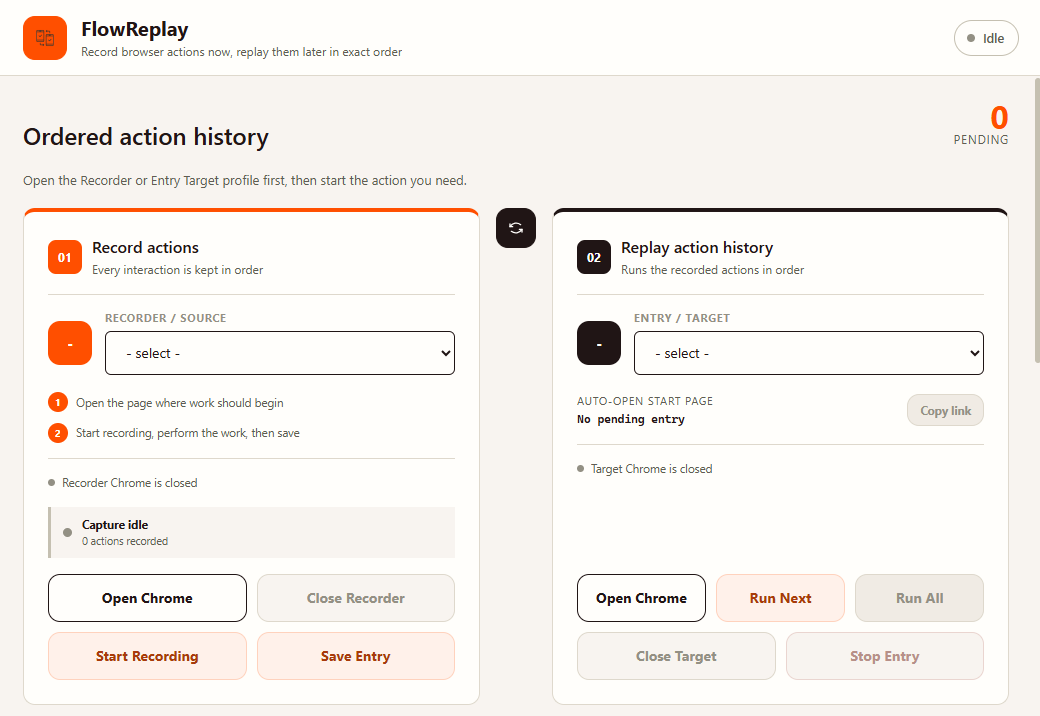
A deliberate workflow
Opening Chrome never starts work by itself. Recording and replay remain explicit, separate actions.
Use your source Chrome profile and navigate to the page where the workflow begins.
Start recording when ready, complete the workflow, and save the finished entry.
Run one entry or the full queue from each entry's recorded starting page.
Accuracy before speed
FlowReplay resolves controls by selectors and accessible semantics, verifies the resulting state, and stops the affected entry when a match cannot be proven.
Local by design
Entries, editable field values, and replay history are stored locally in FlowReplay's per-user application data. No account or cloud database is required.
Latest release
Download the Windows installer from the official GitHub Releases page.